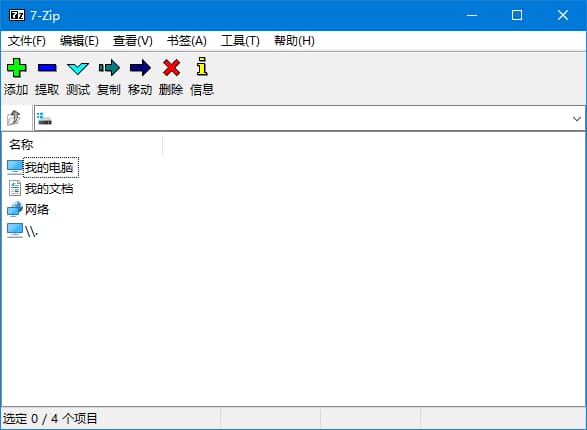
7-Zip是一款免费的开源压缩软件,支持30多种压缩格式,包括ZIP、RAR、7Z等常见的压缩格式,以及一些较为特殊的格式,如CPIO、TAR、ISO等。除了压缩和解压缩的功能外,7-Zip还提供了强大的加密和加密文件夹的功能,以及压缩文件的分卷、自解压等实用功能。该软件还具有较高的压缩率,因此备受压缩爱好者的青睐。
软件特色
1.支持多种格式:7-Zip支持30多种压缩格式,包括ZIP、RAR、7Z等常见格式以及一些较为特殊的格式,如CPIO、TAR、ISO等。 2.高压缩率:7-Zip具有较高的压缩率,可以有效地减少文件的大小,使其更易于传输和存储。 3.加密功能:该软件提供了强大的加密和加密文件夹的功能,可以保护您的私人文件不被他人看到。 4.支持多种解压方式:除了支持常规的解压方式外,7-Zip还支持压缩文件的分卷、自解压等实用功能。 5.免费开源:7-Zip是一款完全免费的开源软件,可以自由使用和分发。同时,它也具有较为友好的用户界面,易于操作。
新版变化
7-Zip - Version History https://github.com/ip7z/7zip/releases 7-Zip 26.01 linux version of 7-Zip can use huge pages (2 MB pages). It can increase compression speed for 10% for 7z/xz/LZMA/LZMA2 compression. new -spo[d|c|r] switch specifies the path generation mode for the output directory for archive extraction. The output directory path is generated from the path specified in the -o{dir_path} switch and the name of the archive being unpacked. -spod : for Linux/Posix/macOS: -o{dir_path} specifies the direct path to the output directory. The asterisk () character in {dir_path} will not be replaced by the archive name. -spoc : 7-Zip will concatenate the path specified in -o{dir_path} with the archive name to form the final path to the output directory. -spor : 7-Zip will replace asterisk () character in the path specified in the -o{dir_path} with the archive name. This is the default option. some bugs were fixed.
下载地址
7-Zip解压缩软件 v26.01 官方简体中文版 & 解NSIS脚本版
https://pan.quark.cn/s/f5cf062f04a2
https://pan.xunlei.com/s/VOrIxGK-3J6Xr-77jZeJlS8XA1?pwd=rs9a#
7-Zip 26.01 Final (2026/04/28)
http://www.7-zip.org/a/7z2601.exe
http://www.7-zip.org/a/7z2601-x64.exe
7-Zip的极限压缩比设置参数分享:
- 压缩等级>极限,算法>LZMA2, 字典>128MB, 单词大小->273
- 固实块大小->固实, CPU线程->8或10, 底部参数框填入 f=BCJ2
7z-Build-NSIS (支持反编译NSIS脚本的第三方编译版)