Zen Browser是一款基于Mozilla Firefox引擎开发的现代化开源浏览器,它以高效浏览、隐私保护和高度可定制化为核心理念,致力于为用户提供简洁、快速且安全的浏览体验。
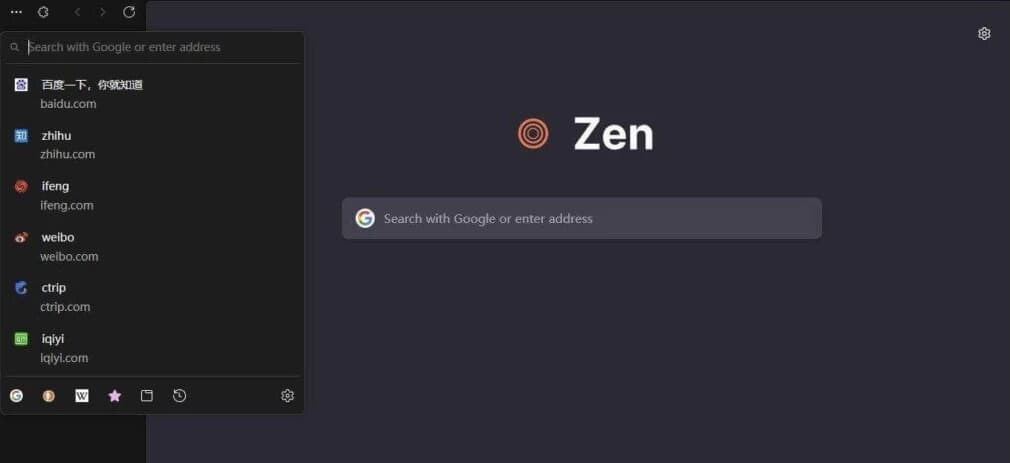
软件功能
标签页管理:支持垂直标签页,可节省横向空间,还能将标签页分组管理,方便用户进行多项目并行处理。 快速预览:具备Zen Glance功能,可提供网站的悬停快速预览,减少无效点击。 分屏视图:支持分屏视图,能同时显示多达4个标签页,便于用户对照资料或进行多任务处理。 开发者工具:内置了功能强大的开发者工具,支持丰富的插件和扩展,方便前端开发者、后端工程师等进行网页开发和调试。 截图功能:自带截图工具,方便用户截取网页内容,满足日常截图需求。 阅读模式:具有阅读模式,可清除页面杂物,使用户更专注于内容阅读。
软件特点
极致轻量:安装包体积约70M,启动速度极快,能瞬间启动,占用系统资源少,即使在老旧硬件上也能高效运行。 隐私保护:默认阻止跟踪器与广告,主动拦截第三方数据收集,不存储或出售用户数据。具备私密浏览模式,可禁用历史记录和Cookie。 开源透明:开源是其一大亮点,任何人都可查看、审核源代码,确保无后门和隐私泄露隐患,吸引了众多开发者贡献代码,共同维护其安全性和可靠性。 界面简洁:秉持“极简即美”的设计哲学,界面简洁直观,无多余干扰元素,用户能一眼找到所需功能,专注于网页内容本身。 可定制化:虽定制选项有限,但用户可通过主题商店选择多种主题、颜色和布局,还能修改基本界面元素和工具栏排列,打造个性化浏览体验。 兼容性好:支持标准网络技术,可通过专用扩展商店使用Chrome兼容扩展,用户能借此扩展密码管理、SEO工具等多种功能。 社区支持:在GitHub上获得近1万star,社区活跃。用户和开发者可随时提交问题、建议和代码贡献,开发团队和社区志愿者响应迅速,促使软件不断迭代更新。
更新日志
1.19.4b (2026-03-26) Latest New Features Updated to Firefox 149.0 Optimized the performance glance and its animations, making it more responsive and smoother than before. Added a ‘Un-split tabs’ context menu item when right-clicking on a tab inside a split view to quickly un-split it. Many PDF files will now load significantly faster thanks to hardware acceleration. Zen now automatically blocks notifications and permanently revokes permissions for any website flagged as malicious by SafeBrowsing. This prevents unsafe sites from sending background notifications to users, commonly used for ads, spam or phishing. The WebRender layer compositor is now enabled on Windows, reducing power usage during full-screen video playback and improving WebGL/WebGPU performance. Fixes Fixed background grain not showing properly (#12765) Fixed not being able to switch spaces with scroll actions (#12816) Fixed closing blank windows when asking for confirmation (#12922) Increased robustness of HTTP/3 upload performance for unstable network conditions. Other minor bug fixes and improvements. Changes Live folders will now perform a refresh when waking up the computer to make sure the content is up to date. On Linux, Zen will now default to the XDG portal file picker if available, rather than the GTK3 one, which is usually better integrated with the user’s desktop environment, and more powerful. On Windows, Zen will use the modern Windows.Devices.Geolocation API for geolocation instead of Windows 7 location API.
下载地址
Zen Browser(基于Firefox引擎浏览器) v1.19.4b 最新版
https://pan.quark.cn/s/489d62912241
https://pan.xunlei.com/s/VOol4u3KSdI1DuN_Kz-lvwrnA1?pwd=qrh6#