Calibre 是一款开源的电子书管理软件,可以使用户管理、转换和阅读各种格式的电子书。
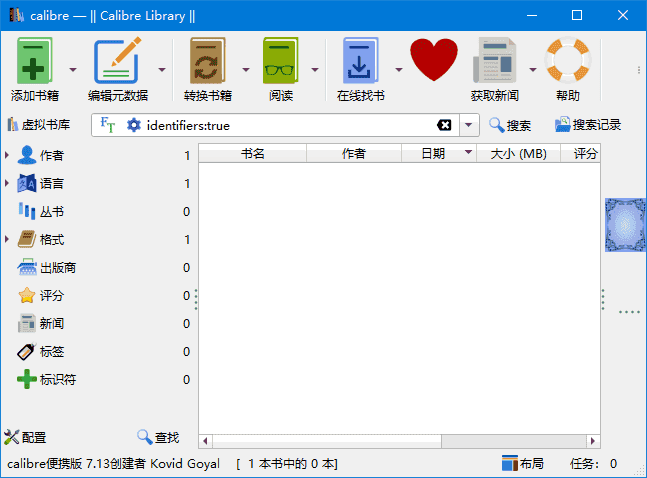
软件功能
电子书转换:Calibre 可以将电子书从一种格式转换为另一种格式,例如从 EPUB 转换为 MOBI 或 PDF。它支持广泛的格式,包括 EPUB, MOBI, AZW3, PDF, HTML, RTF, LIT, LRF, CHM, PDB, TXT 等。 图书馆管理:用户可以轻松地组织和搜索大量的电子书集合。Calibre 提供了分类、标签、作者、标题等多种方式来整理电子书。 元数据编辑:Calibre 允许用户编辑电子书的元数据信息,如书名、作者、出版日期、封面图片等。 新闻下载与转换:Calibre 支持从互联网下载新闻或杂志,并将其转换成电子书格式,方便用户在电子阅读器上阅读。 同步支持:可以将电子书同步到多种设备上,如 Kindle、Nook、iPad 等,确保无论使用何种设备都能访问自己的电子书库。 插件扩展:Calibre 拥有丰富的插件生态系统,用户可以通过安装插件来扩展软件的功能,满足特定需求。
软件特点
用户友好界面:Calibre 提供了一个直观易用的图形用户界面,使得即使是技术新手也能轻松管理电子书。 跨平台兼容性:Calibre 支持 Windows、macOS 和 Linux 等多个操作系统,确保了软件的广泛适用性。 强大的社区支持:由于是开源项目,Calibre 拥有一个活跃的开发者和用户社区,提供了大量的帮助和支持资源。 定期更新:开发团队经常发布新版本,增加新功能并修复已知的问题,确保软件始终处于最佳状态。 多语言支持:Calibre 支持多种语言界面,包括简体中文,这使得非英语国家的用户也可以方便地使用该软件。
更新日志
Release: 9.5 [13 Mar, 2026] New features Allow creating a column to display reading progress Reading progress comes from the calibre E-book viewer. To create the column, go to Preferences->Add your own columns, click the plus button and finally click on the “Read progress” link. Annotations browser: Allow filtering by highlight style E-book viewer: Add an option to display the pages from the paper book page list (when available) while also showing the last page number Edit book: Add a tool to remove unused images, similar to the tool to remove unused CSS Tolino driver: support new firmware version E-book viewer: Add a reset button to the reading stats panel Bug fixes Fix overridden icons from config directory not switching between dark/light variants on theme change Fix: Use MOBI fallback for KFX format when downloading news periodicals Edit book: Restore focus to editor after showing search count popup message Fix a bug in KEPUB markup removal when there are empty kobo spans RB Input: Ensure files are extracted within container dir (CVE-2026-30853) Book list: Fix ctrl+shift+arrow key not moving the currently selected book. Fixes #2142950 New news sources Truthout by PaulB223 Improved news sources Naked Capitalism
下载地址
Calibre(开源电子书管理软件) v9.5.0 官方便携版
https://pan.quark.cn/s/e6fd26e3e79d
https://pan.xunlei.com/s/VOnatbnhiHIyBFuBbJDazhCYA1?pwd=2ymj#