Calibre 是一款开源的电子书管理软件,可以使用户管理、转换和阅读各种格式的电子书。
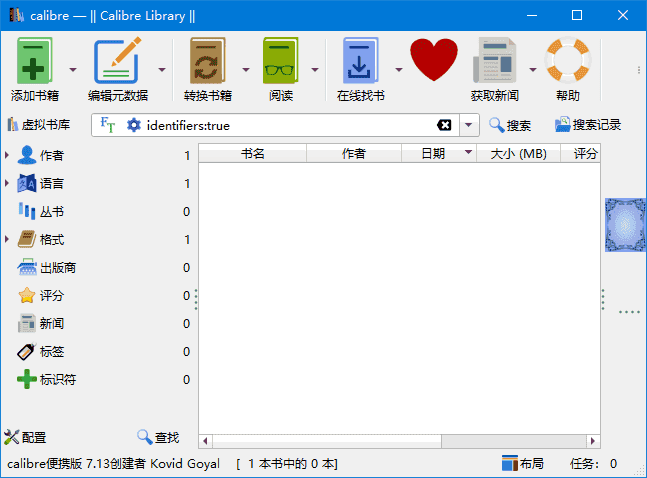
软件功能
电子书转换:Calibre 可以将电子书从一种格式转换为另一种格式,例如从 EPUB 转换为 MOBI 或 PDF。它支持广泛的格式,包括 EPUB, MOBI, AZW3, PDF, HTML, RTF, LIT, LRF, CHM, PDB, TXT 等。 图书馆管理:用户可以轻松地组织和搜索大量的电子书集合。Calibre 提供了分类、标签、作者、标题等多种方式来整理电子书。 元数据编辑:Calibre 允许用户编辑电子书的元数据信息,如书名、作者、出版日期、封面图片等。 新闻下载与转换:Calibre 支持从互联网下载新闻或杂志,并将其转换成电子书格式,方便用户在电子阅读器上阅读。 同步支持:可以将电子书同步到多种设备上,如 Kindle、Nook、iPad 等,确保无论使用何种设备都能访问自己的电子书库。 插件扩展:Calibre 拥有丰富的插件生态系统,用户可以通过安装插件来扩展软件的功能,满足特定需求。
软件特点
用户友好界面:Calibre 提供了一个直观易用的图形用户界面,使得即使是技术新手也能轻松管理电子书。 跨平台兼容性:Calibre 支持 Windows、macOS 和 Linux 等多个操作系统,确保了软件的广泛适用性。 强大的社区支持:由于是开源项目,Calibre 拥有一个活跃的开发者和用户社区,提供了大量的帮助和支持资源。 定期更新:开发团队经常发布新版本,增加新功能并修复已知的问题,确保软件始终处于最佳状态。 多语言支持:Calibre 支持多种语言界面,包括简体中文,这使得非英语国家的用户也可以方便地使用该软件。
更新日志
Release: 9.3 [20 Feb, 2026] New features Windows installer: Detect running calibre processes and ask user to shutdown calibre before proceeding with installation to avoid reboots post installation Improve Preferences->Tweaks getting rid of the need for double apply KEPUB Output: When converting to KEPUB preserve cover aspect ratio regardless of the setting for it in the EPUB Output to match the behavior of KEPUB files from Kobo Bug fixes Make the new pages column value available in save to disk/send to device templates Hanvon N10 device driver: Fix calibre unable to put its metadata files onto the device Amazon metadata download plugin: Fix incorrect series index from amazon.com Fix a regression in calibre 9.0 that broke output to PDB/TCR/zTXT files Windows: Fix calibre not exiting on quit when the wireless device driver is used in calibre 9 Fix error in page counting when using the calibredb command to add a book Completion: When sorting completion matches in contains mode ensure matches are sorted first by distance from beginning and then sub-sorted alphabetically Windows: Fix a regression in calibre 9 that caused tooltips to not follow the color scheme PDF Input: Fix PDF Outline not being converted to Table of Contents in output document when using the calibre engine ODT Input: Ensure images are extracted within container (CVE-2026-26064) PDB Input: Ensure extracted images are within the container (CVE-2026-26065) Fix a regression in calibre 9.0 that caused a spurious large books merge warning when merging books in the cover grid view Windows: Fix harmless error popup if user tries to launch calibre multiple times in quick succession Improved news sources Financial Times The Asahi Shimbun Todoist
下载地址
Calibre(开源电子书管理软件) v9.3.0 官方便携版
https://pan.quark.cn/s/f3f3c5e51b83
https://pan.xunlei.com/s/VOlstXsFc1Aufw_pDGNJPXTtA1?pwd=9xpa#