QOwnNotes是一款功能强大的跨平台笔记应用程序,可以帮助用户轻松管理笔记、任务和清单。
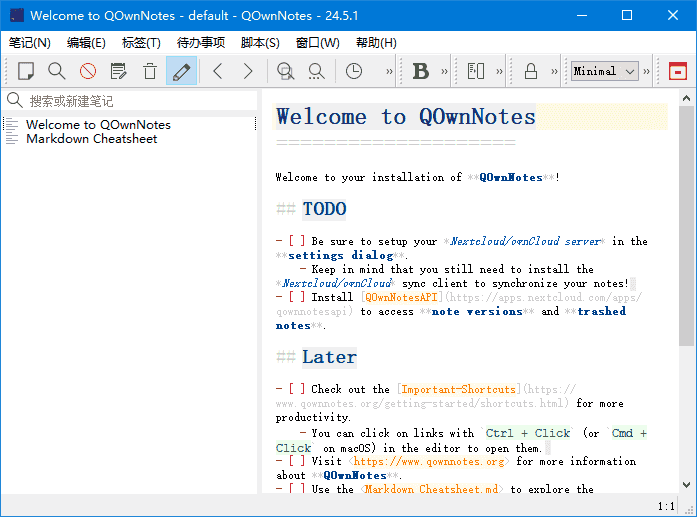
软件特点
1.支持多种编辑器:支持Markdown、Html、和其它多种文本编辑器; 2.易于搜索:可设置快捷键进行搜索,支持正则表达式搜索; 3.多个账户:可以管理多个账户,并可以自定义设置; 4.可定义笔记标签:可以使用标签来组织笔记,方便查找; 5.全文搜索:支持全文搜索,可以在整个笔记库中搜索文本; 6.数据同步:可以通过多种方式进行数据同步,包括Dropbox、Nextcloud等; 7.导出功能:可以通过PDF、HTML等格式导出笔记。
更新日志
26.1.13 Fixed an issue where the last image was still shown after deleting all images in the stored images dialog (for #3449) The image preview is now properly cleared when all images are deleted The image preview is also cleared when switching to a view mode with no images Fixed the same issue in the stored attachments dialog where file info remained visible after deleting all attachments or switching to an empty view Fixed the image dialog to properly clear the preview when the file path is cleared Fixed the attachment dialog to properly hide info and download button when the file path is cleared Added context menu entries to insert table columns and rows when the cursor is in a Markdown table (for #3450) Add table column left - Inserts a new column to the left of the cursor position Add table column right - Inserts a new column to the right of the cursor position Add table row above - Inserts a new row above the cursor position Add table row below - Inserts a new row below the cursor position The table is automatically formatted after insertion
下载地址
QOwnNotes(跨平台笔记应用程序) v26.1.13 中文绿色版
https://pan.quark.cn/s/e5a93d464cec
https://pan.xunlei.com/s/VOk13JkESN0O9XLDbV5o2GPjA1?pwd=e9nx#
https://url96.ctfile.com/d/60968596-159869708-4185bc?p=7788 (访问密码: 7788)